
Overview
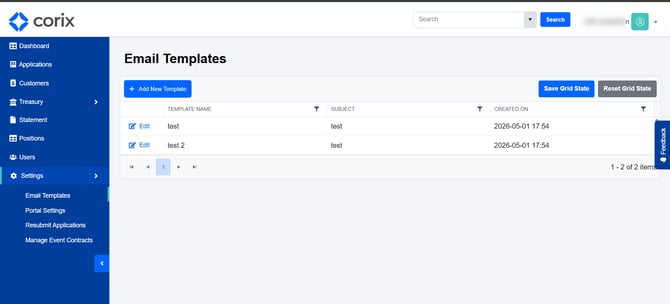
Email Templates allow administrators to create and reuse common communications sent through Corix. The templates are managed within the Settings area of the platform.
Creating an email template
- Navigate to Settings.
- Open the Email Templates section.
- Create a new template.
- Enter the subject and message content.
- Save the template for future use.
Saved templates can be selected when sending messages to users.
When to use email templates
Email templates are useful for recurring communications, including:
- Requesting additional documents
- Following up on incomplete applications
- Providing application status updates
- Sending general customer communications
Using templates helps ensure consistent messaging and reduces manual effort.
Frequently asked questions
Can I edit an existing template?
Yes. Existing templates can be updated as business requirements change.
Who can use email templates?
Availability depends on the permissions assigned to your role.
Are templates automatically sent to users?
No. Templates are designed to be selected and used when sending communications.