
Overview
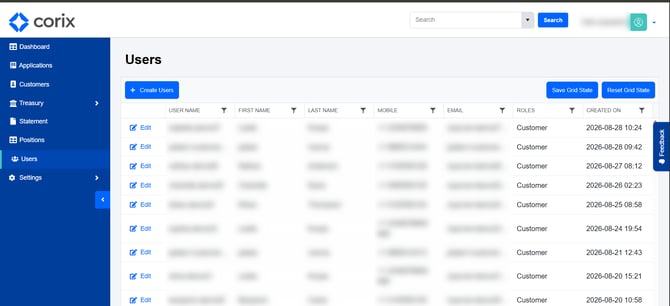
The User Management section allows administrators to manage user accounts within Corix, including updating contact information, reviewing user details, and managing user roles.
Updating a user's information
- Navigate to User Management.
- Search for the user you wish to update.
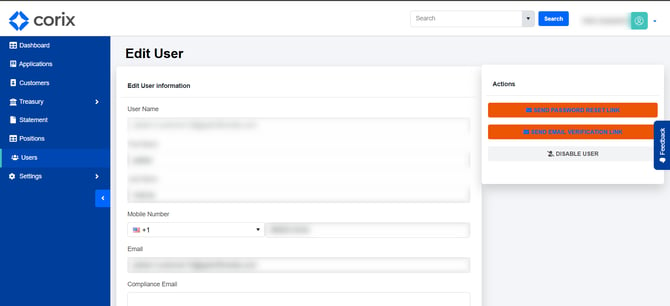
- Open the user's profile.
- Update the necessary information, such as email address, phone number, or user role.
- Save your changes.
Updates take effect immediately once saved.
Verifying changes
After making updates, review the user's profile to confirm the changes were saved successfully.
For contact information updates, you may also wish to confirm that future notifications are being delivered correctly.
Frequently asked questions
When should I update a user's phone number?
Update a phone number when a user changes their contact information or if a registration issue occurs due to a phone number already being associated with another account.
Can I update a user's email address?
Yes. Administrators can update user email addresses from the User Management area.
What happens when a user's role is changed?
The user's access and available functionality may change based on the permissions associated with the assigned role.
Can I view a list of all users?
Yes. Administrators can view and search user records from the User Management section.