
Overview
Money Movement Requests allow you to transfer funds to or from your account through the Corix portal.
Depending on your firm's configuration, you may be able to submit deposit requests, withdrawal requests, or other funding-related transactions.
Submitting a request
- Log in to Corix.
- Navigate to the Treasury or Funding section.
- Select the type of request you want to submit.
- Enter the required details.
- Review the information and submit your request.
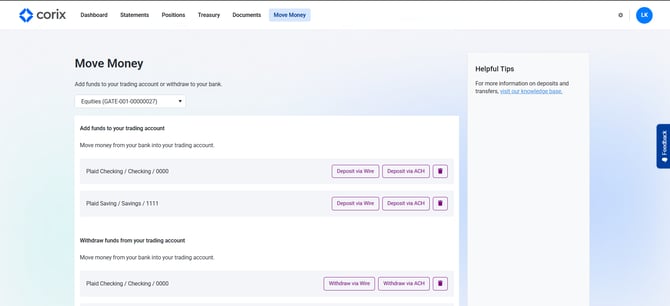
Once submitted, your request may be reviewed by your firm's operations team before processing.
Frequently asked questions
Why is my request still pending?
Some requests require review and approval before they can be processed.
Can I edit a request after submitting it?
Contact your firm's support team if changes are needed after submission.
Why was my request rejected?
Requests may be rejected if information is missing, additional verification is required, or the request does not meet firm requirements.
How will I know when my request is completed?
Your firm may provide updates through Corix, email notifications, or both.