
Overview
Auto-Approval allows eligible applications to be approved automatically without requiring manual review by an administrator.
Where is auto-approval configured?
- Navigate to Settings.
- Locate the Auto-Approval setting.
- Enable or disable the feature based on your firm's requirements.
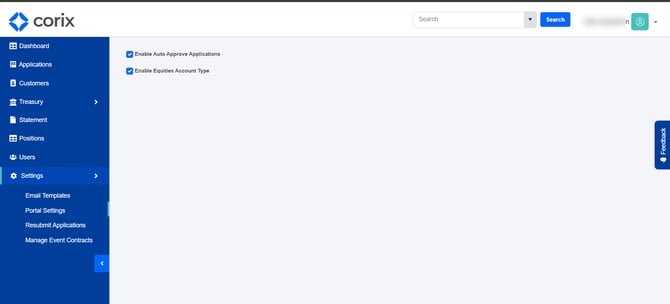
Administrators should review their firm's onboarding and compliance processes before enabling automatic approval workflows.
When should auto-approval be used?
Auto-Approval may be appropriate when:
- Applications meet predefined approval criteria.
- Manual review is not required.
- Your firm's operational processes support automated approvals.
Frequently asked questions
Can auto-approval be turned off?
Yes. The setting can be enabled or disabled from the configuration area.
Does auto-approval replace application review?
That depends on your firm's implementation and approval requirements. Administrators should determine when manual review is still necessary.