
Overview
The Email History section allows administrators to view communications that have been sent to a user through Corix.
Viewing email history
- Navigate to User Management or the user's profile.
- Open the user record.
- Locate the Email History section.
- Review previously sent communications.
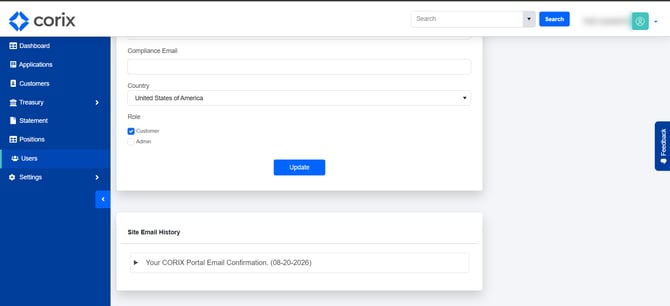
Email History can be used to confirm whether a message was sent and to review past correspondence with a user.
Common uses
Administrators commonly use Email History to:
- Verify that a notification or message was sent.
- Review previous communications with a user.
- Confirm document requests or application-related correspondence.
- Assist with support inquiries.
Frequently asked questions
Can I see all emails sent to a user?
Yes. Corix maintains a history of emails associated with the user record.
Can I verify that a document request was sent?
Yes. Email History can be used to review communications that were sent to a user.
Can I resend an email from Email History?
Available actions depend on your firm's Corix configuration.