
Overview
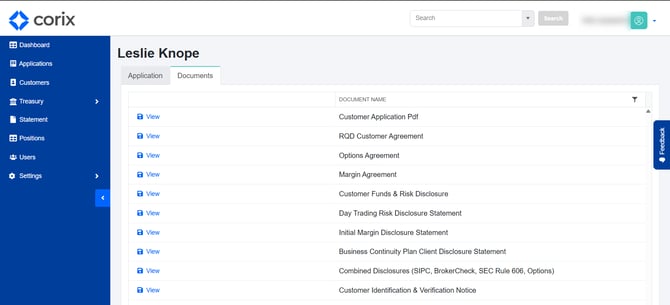
The Document Management section allows administrators to review application documents, signed agreements, disclosures, and supporting files associated with a customer account.
Viewing documents
- Open the customer's application or account record.
- Navigate to the Documents section.
- Select a document to view its contents.
Administrators can review signed agreements, disclosures, and other application-related documents from a central location.
Downloading documents
Documents can be downloaded for:
- Compliance reviews
- Internal recordkeeping
- Customer support inquiries
- Operational review
Available downloads may include signed agreements, application PDFs, and supporting documentation.
Frequently asked questions
What documents can I access?
Available documents may include signed agreements, disclosures, application documents, and supporting files submitted by the user.
Can I download a copy of a signed agreement?
Yes. Signed agreements can be viewed and downloaded from the Documents section.
Can I request additional documents from a user?
Yes. Additional documentation can be requested as part of the application review process.